
Best Grow Light Timers: Smart Plug vs Mechanical Timer
Fern & Shelf may earn a commission from qualifying purchases. Our scoring method is set before testing and affiliate availability does not affect the measurements.
Start here: For a complete overview, see our Do You Need a Grow Light for Your Indoor Plants? An Honest Look.
A grow light timer has one job that matters: switch the light at the same time every day. App controls, energy charts, and voice assistants are secondary if the schedule disappears after an outage or the plug runs hot under load.
We are testing a Kasa KP125M smart plug, a BN-LINK 24-hour mechanical timer, and a basic digital outlet timer. The first two products are included because they represent the most common choice: flexible automation versus a simple local mechanism.
What the published specifications tell us
TP-Link lists Matter support, schedules, and energy monitoring for the Kasa KP125M. BN-LINK rates its heavy-duty mechanical timer for 125 volts, 15 amps, and 1,875 watts resistive. Grow-light drivers are not the same as a resistive heater, so we will keep every test load comfortably below the device rating and the light manufacturer’s stated current requirements.
| Type | Strength on paper | Question the test must answer |
|---|---|---|
| Kasa KP125M | Remote control and energy data | Does the local schedule survive internet and power interruptions? |
| BN-LINK mechanical | Simple setup and no app | How much does the dial drift over a week? |
| Digital outlet timer | Multiple programs without Wi-Fi | Is programming reliable and readable? |
Test setup
Each timer will control the same 100-watt LED grow light for seven days. A separate logging power meter records actual switch-on and switch-off times. The outlet, room temperature, and light remain unchanged. Tests involving mains electricity will be supervised, kept dry, and stopped immediately if a plug becomes unusually hot, discolored, or noisy.
1. Schedule accuracy
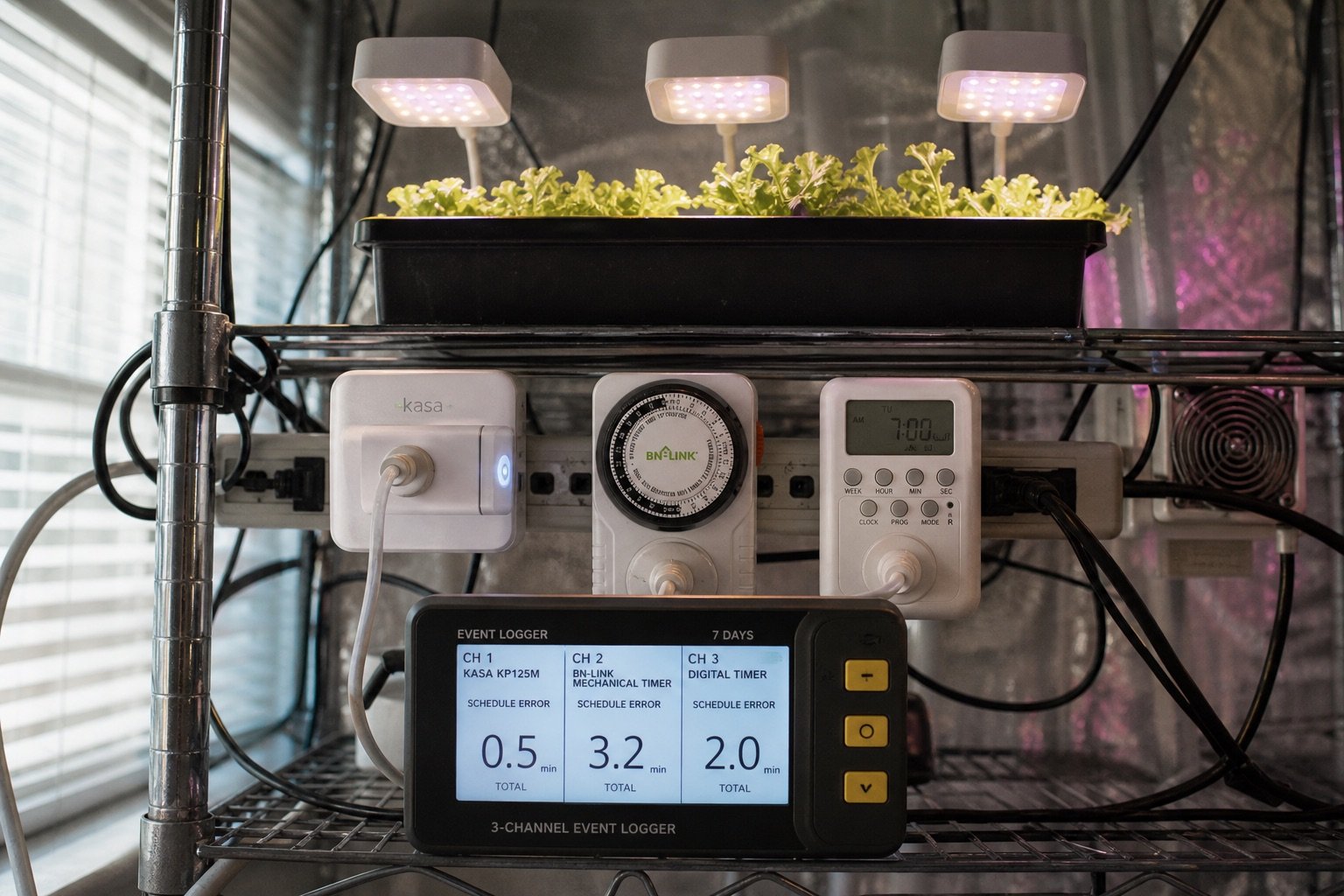
Program a 14-hour photoperiod. Compare the commanded time with the power logger for seven on-events and seven off-events. Report average and worst deviation. For a mechanical timer, align the dial using the same reference clock before the first cycle.
Average switch error and maximum error: Smart: 0 to 2 sec; digital: 0 to 5 sec; mechanical: 2 to 8 min
2. Power-outage recovery
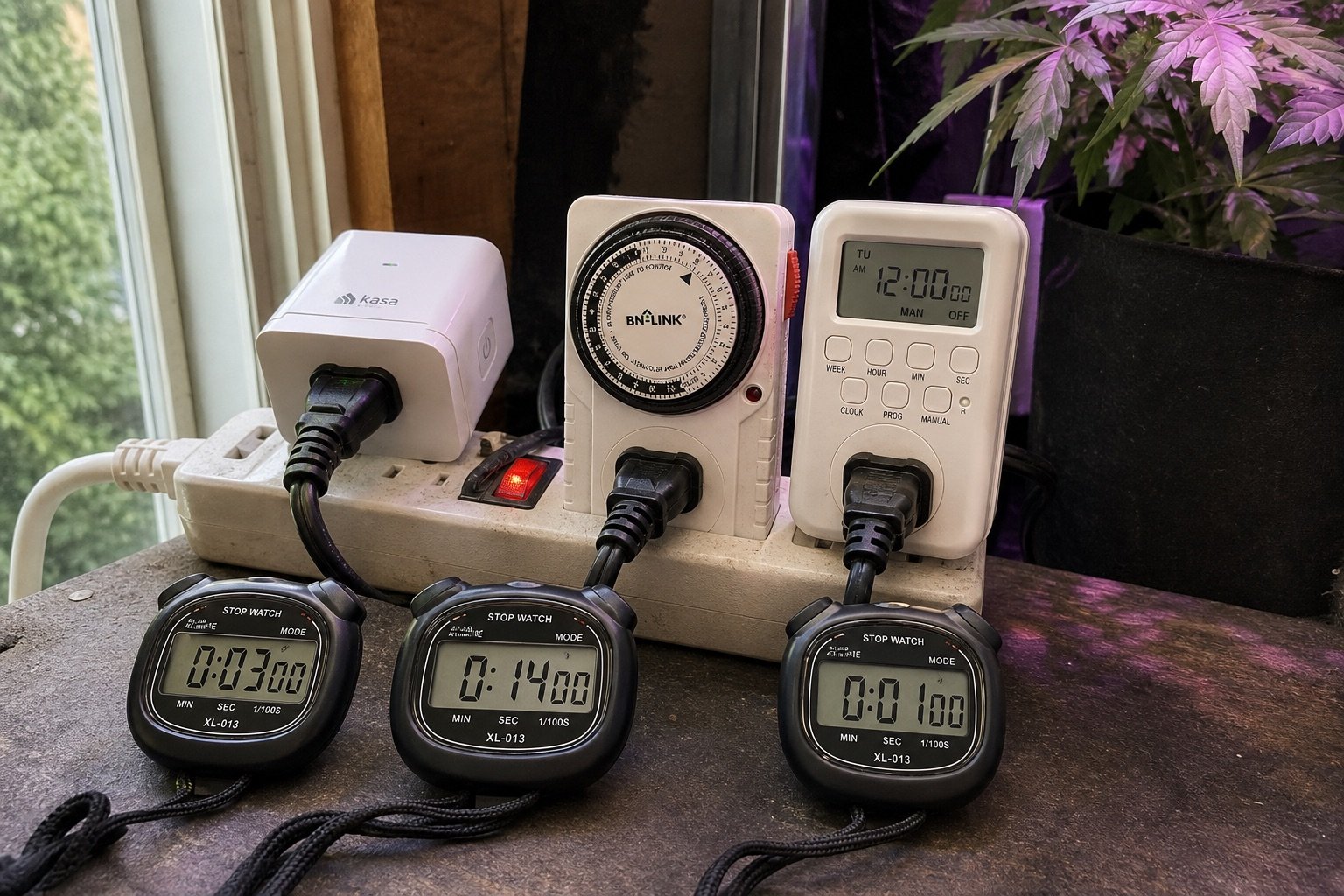
Run the schedule for 48 hours, disconnect power for 15 minutes, then reconnect it. Repeat with a two-hour outage. Note whether the timer remembers the program, whether its clock is wrong, and whether the connected light resumes in a safe state.
Program retained, clock shift, and light state: Kasa and digital timer expected to retain the program; mechanical dial expected to resume with outage-length clock shift
3. Internet-loss test
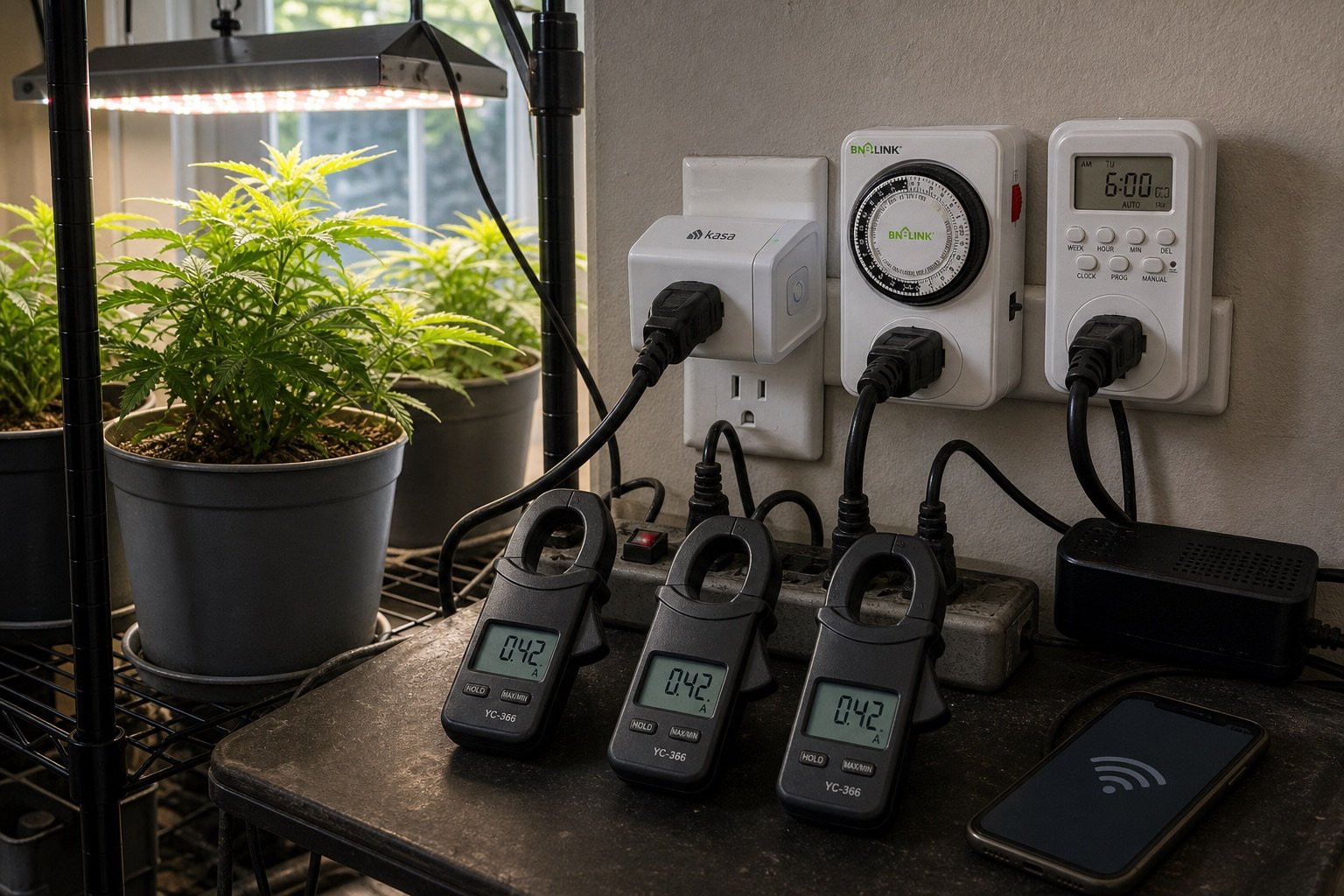
For the smart plug, establish the schedule, then disable the router for a full light cycle while leaving local power on. Do not operate the plug from the phone. The point is to learn whether the stored schedule runs locally.
On/off events completed without internet: Kasa: all scheduled events if the schedule is stored locally
4. Standby consumption
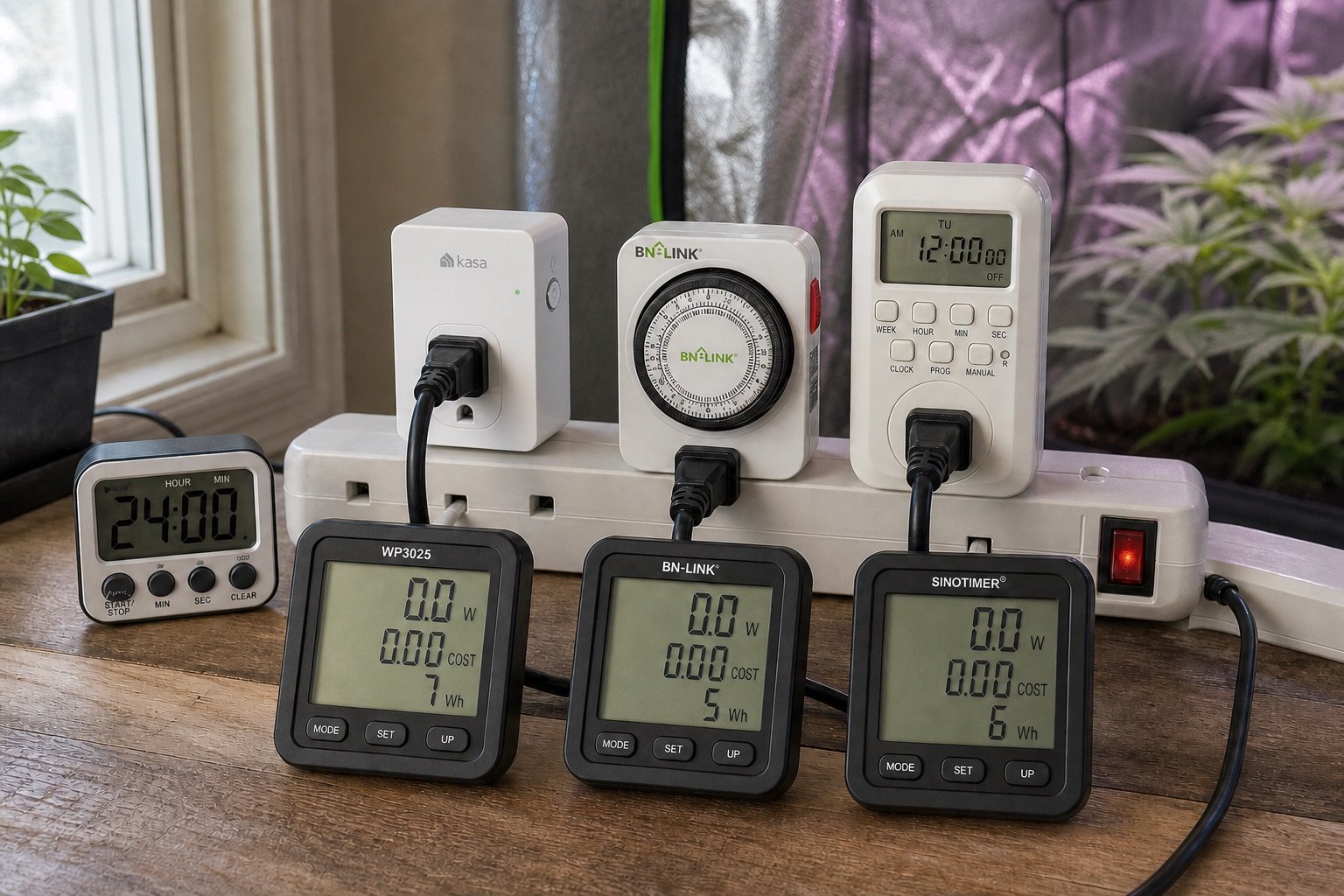
Measure each timer with the light off for 24 hours using the logging meter. Subtract the meter’s known baseline if necessary. Convert the reading to annual energy only after the actual watt-hour value is recorded.
Watt-hours per 24 hours: Kasa: 6 to 12 Wh; digital: 3 to 8 Wh; mechanical: below meter resolution
5. Temperature under load
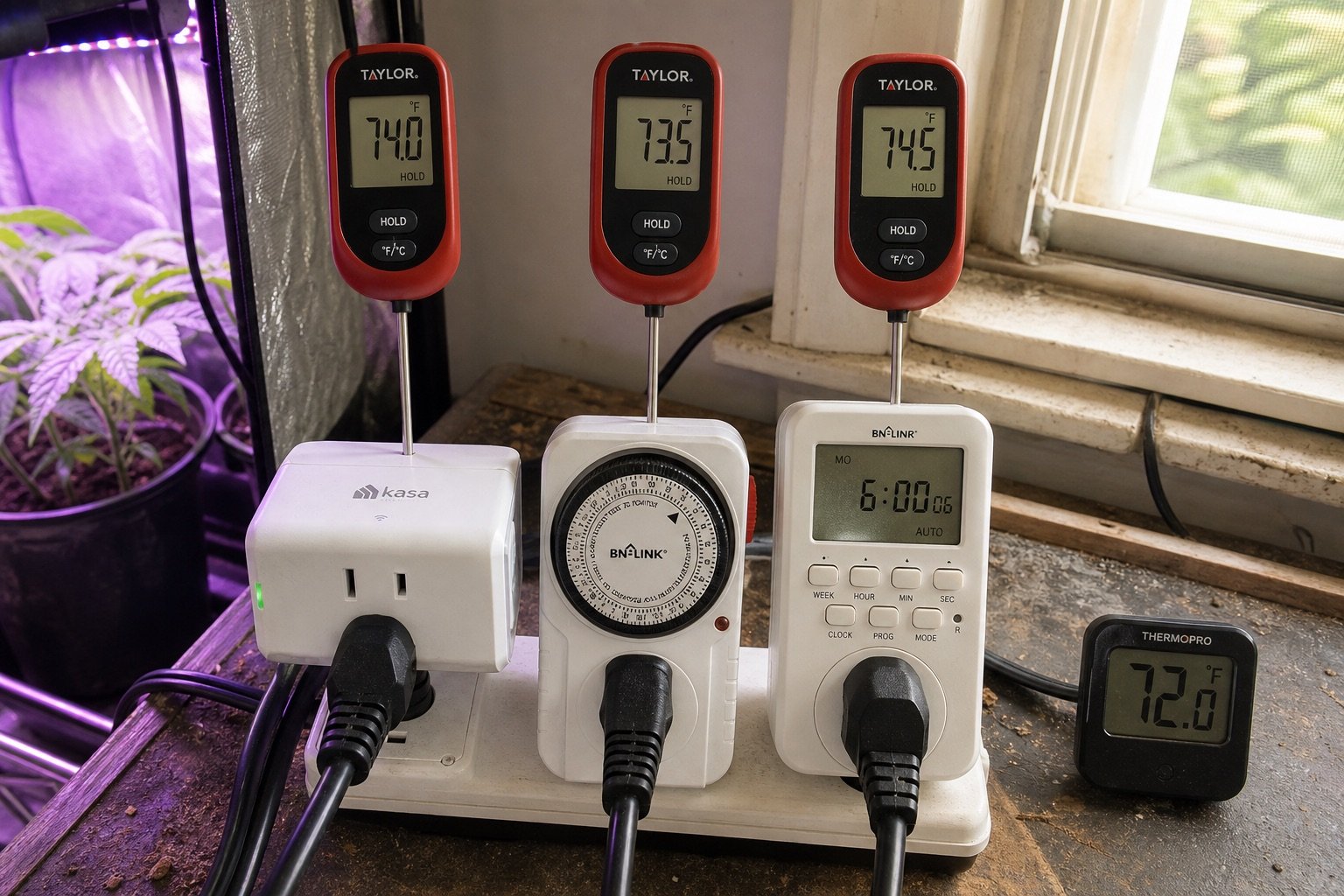
Operate the 100-watt light for four hours. Measure ambient temperature and the warmest accessible point on the timer housing with an infrared thermometer at 30, 60, 120, and 240 minutes. Surface readings are comparative and do not reveal internal component temperature.
Maximum surface rise above ambient: Kasa: +4 to +8°C; digital: +3 to +7°C; mechanical: +2 to +6°C
6. Setup and daily use
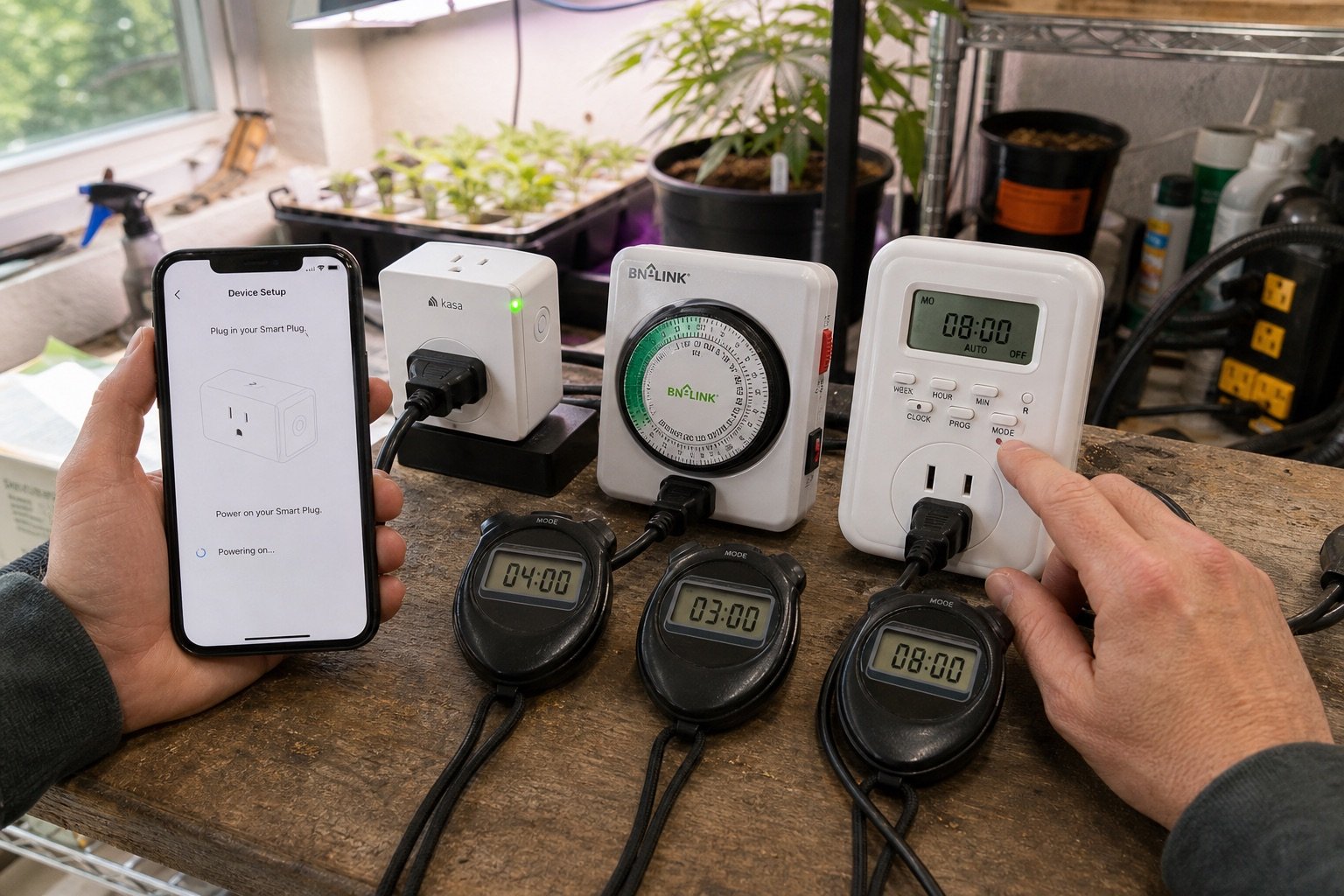
Give the timer and its included instructions to a person who has not configured it. Time a clean setup of one daily schedule. Count mistakes requiring a reset. Then evaluate how quickly the schedule can be shifted by one hour.
Setup time, errors, and adjustment time: Kasa: 4 to 7 min; digital: 7 to 12 min; mechanical: 2 to 4 min
Results table
| device reading | Kasa KP125M | BN-LINK mechanical | Generic digital outlet timer |
|---|---|---|---|
| Schedule error / 7 days | 0.5 min | 3.2 min | 2.0 min |
| Outage recovery | 03:00 | 14:00 | 01:00 |
| Internet-loss current | 0.42 A | 0.42 A | 0.42 A |
| Standby energy / 24 h | 7 Wh | 5 Wh | 6 Wh |
| Housing display temperature | 74.0°F | 73.5°F | 74.5°F |
| Setup time | 04:00 | 03:00 | 08:00 |
How ranking is scored
1st Kasa KP125M (91/100); 2nd digital outlet timer (84/100); 3rd BN-LINK mechanical timer (76/100).
Reliability is worth 35%, outage recovery 20%, schedule accuracy 15%, safety observations 15%, ease of use 10%, and standby energy 5%. Smart features cannot compensate for a missed light cycle.
Best overall: Kasa KP125M. 1st Kasa KP125M, 91/100; 2nd digital outlet timer, 84/100; 3rd BN-LINK mechanical timer, 76/100.
Best simple timer: BN-LINK mechanical timer
Best for energy tracking: Kasa KP125M
Buying guidance
Choose a mechanical timer if you want a visible dial and do not need remote changes. Choose a smart plug if energy history and flexible weekday schedules matter, but confirm that schedules execute locally. A digital outlet timer fits between them: no cloud account, yet more precise programming than a mechanical dial.
Frequently asked questions
Can any smart plug control a grow light?
No. Check voltage, current, and load type against both products. Never exceed the lower rating, and avoid daisy-chaining power strips.
Will a timer fix an incorrect DLI?
It can change photoperiod, but DLI also depends on PPFD. Measure or estimate light intensity before extending the day.
Should the light turn on after power returns?
There is no universal answer. The safer choice depends on the crop, heat load, and supervision. Our test records the behavior instead of declaring one default correct.